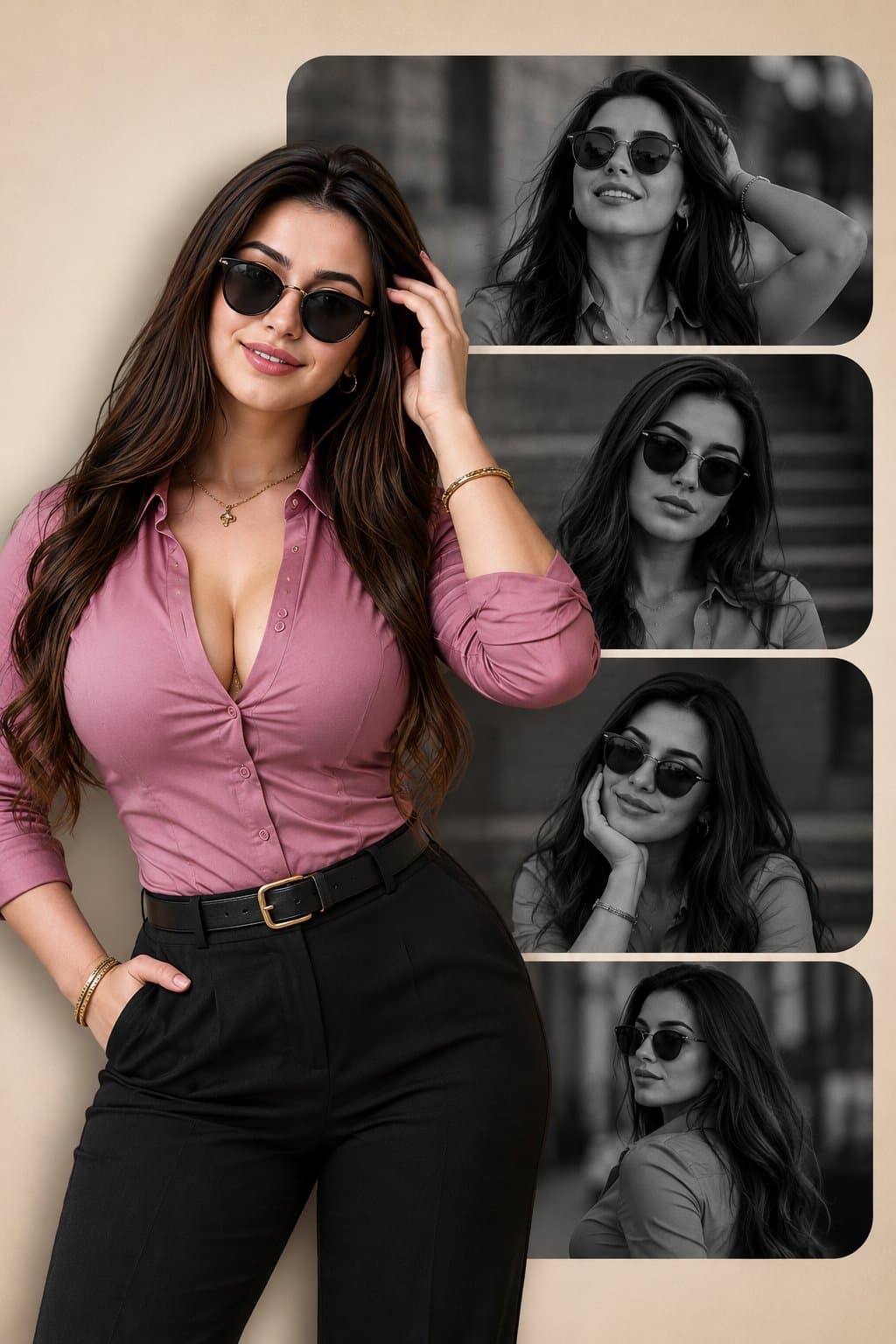
Create a vertical black white fashion portrait collage for one stylish adult model. The design should combine premium monochrome portrait panels with one full-color cutout that breaks the grid.
Layout: 2:3 vertical poster on a warm beige background. Stack four rounded horizontal rectangles with black-and-white cinematic portraits of the same model wearing sunglasses in different poses. Add a full-color cutout of the model overlapping the left side for depth.
Styling: fitted mauve shirt, black tailored pants, sunglasses, confident pose, soft studio lighting, clean magazine shadows, subtle grain, and editorial fashion attitude. Add tiny frame numbers and minimal layout marks, but keep text sparse and readable.
Style: AI black white fashion collage prompt example, fashion portrait collage, premium magazine layout, monochrome editorial panels, social media lookbook cover, clean high-fashion campaign design.
Negative prompt
different people in each panel, underage subject, real brand logo, unreadable text, warped sunglasses, messy cutout edges, low-resolution collage, plastic skin
How to adapt this prompt
Turn the example into your own brief.
Replace the subject, product, place, or audience.Keep the composition and camera language, then swap the object, brand, city, or customer.Preserve lighting and material constraints.Reuse the lighting, texture, and finish details that make the image feel specific.Match the aspect ratio to the channel.Move between square, vertical, and wide crops based on ads, posts, covers, or landing pages.Tighten the negative prompt after review.Add exclusions for text errors, distorted objects, clutter, or style drift after the first result. What this prompt is good for
Black White Fashion Portrait Collage is built for AI black white fashion collage prompt example for creator portfolios, lookbook covers, and fashion campaign posts.
Use this AI image prompt when you need a focused Social Media result with a clear style direction, a defined format, and enough visual constraints to avoid generic output.
- Best search intent: AI black white fashion collage prompt example, Fashion portrait collage, and Lookbook cover
- Primary workflow: AI black white fashion collage prompt example for creator portfolios, lookbook covers, and fashion campaign posts
- Recommended output format: 2:3
Prompt breakdown
Key controls inside this Monochrome fashion collage poster prompt.
The prompt combines subject direction, lighting, composition, visual style, and output quality in one reusable brief. Keep those constraints together when you adapt it for your own image.
- Style anchor: Monochrome fashion collage poster
- Category context: Social Media
- Includes a negative prompt to reduce style drift, distorted details, and unwanted artifacts.
Best variations to try
Adapt this prompt without losing the original image logic.
Start by changing the subject, product, place, color palette, or audience. Keep the camera language and visual hierarchy stable until the result matches the page, ad, post, or campaign you are building.
- Swap the subject while keeping the 2:3 composition.
- Turn the style into a new campaign by changing colors, wardrobe, props, or location.
- Use the prefilled generator link to test the prompt, then refine one variable at a time.
Internal prompt paths
Explore more Social Media prompts.
Browse nearby workflows, compare prompt packs, or open the generator with this example already loaded.
Prompt FAQ
Common questions about this AI image prompt.
What can I create with the Black White Fashion Portrait Collage prompt?
You can use it to create AI black white fashion collage prompt example for creator portfolios, lookbook covers, and fashion campaign posts in a Monochrome fashion collage poster style, with a recommended 2:3 aspect ratio and search-friendly image direction.
Can I edit this AI image prompt for another subject?
Yes. Replace the subject, product, place, audience, or brand details while preserving the lighting, composition, aspect ratio, and quality constraints that give the prompt its structure.
Which aspect ratio works best for this prompt?
This example is designed around a 2:3 aspect ratio. You can change it for another channel, but keep the framing and hierarchy consistent when moving to square, vertical, or wide formats.
Should I use the negative prompt?
Yes. The negative prompt helps reduce issues such as different people in each panel, underage subject, real brand logo, unreadable text, warped sunglasses, messy cutout edges, low-resolution collage, plastic skin. Use it as a starting point and add exclusions after reviewing your first result.