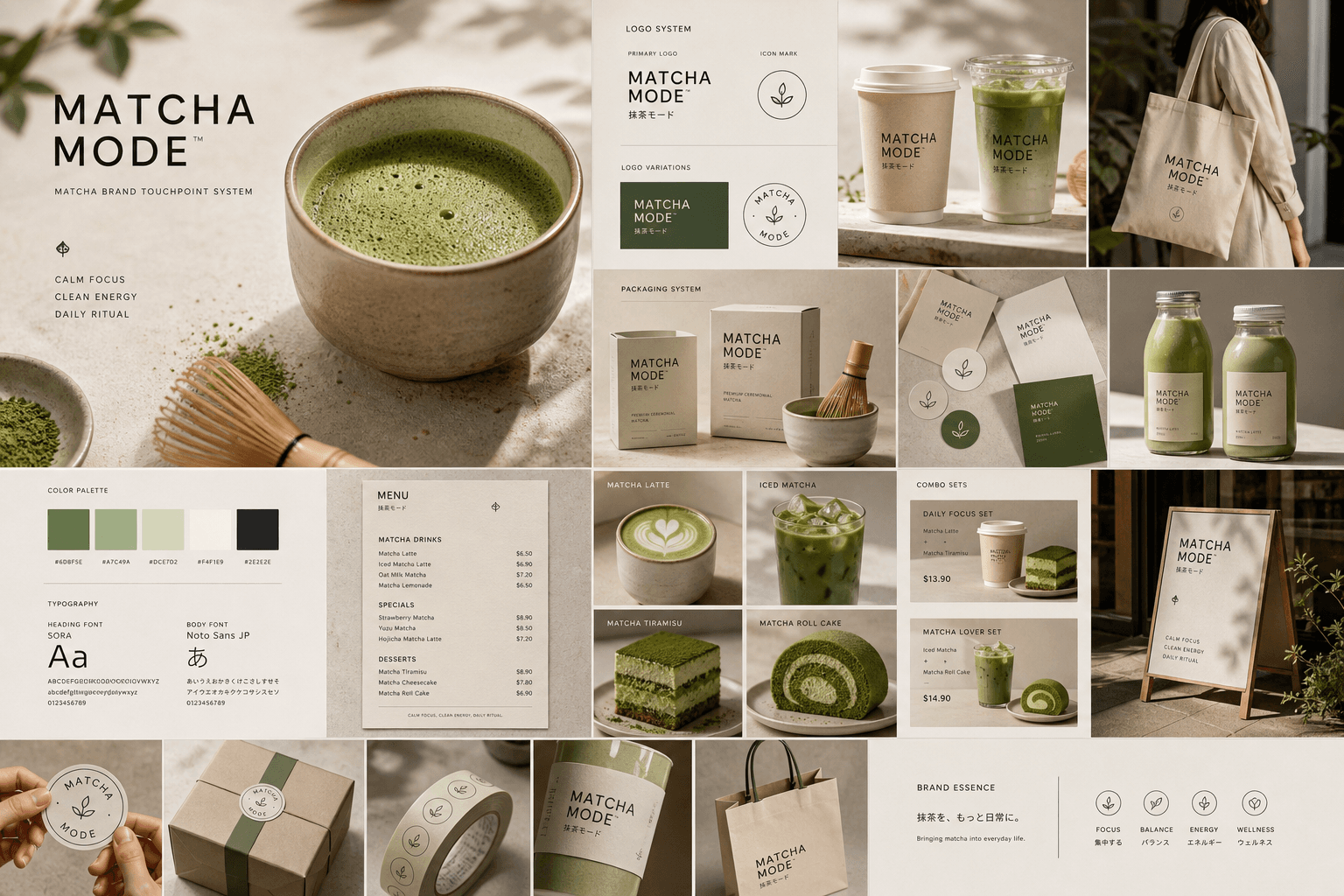
Create a premium "Matcha Brand Touchpoint System" visual board for a modern lifestyle brand called:
"MATCHA MODE"
Build a full brand identity system, not a single image.
HERO SCENE:
A hyper-realistic matcha drink in a ceramic cup placed on a clean natural surface.
- vibrant green matcha foam with micro-bubbles
- bamboo whisk (chasen) nearby
- soft natural light
- slight matcha powder dust on the surface
- minimal Japanese aesthetic
ATMOSPHERE:
- calm, warm, soft daylight
- clean background (off-white or beige)
- subtle shadows and reflections
- feeling of wellness and luxury
FULL BRAND SYSTEM:
- takeout cups (paper + glass bottles)
- packaging boxes (minimalist design)
- tote bags (premium lifestyle)
- labels, stickers, seals
- menu cards with pricing ($6.50, $8.90, etc.)
- small typography everywhere
- subtle imperfections (realism)
DESIGN LANGUAGE:
- modern minimalist typography
- Japanese-inspired layout
- soft green palette
- elegant spacing
INCLUDE:
- matcha latte
- iced matcha
- matcha desserts
- combo sets
- lifestyle shots
The composition must feel like a high-end design agency presentation.
Ultra-detailed, realistic, clean, aesthetic, and highly shareable.
Negative prompt
old reused image, generic moodboard, cluttered layout, low resolution, muddy matcha color, cheap branding
How to adapt this prompt
Turn the example into your own brief.
Replace the subject, product, place, or audience.Keep the composition and camera language, then swap the object, brand, city, or customer.Preserve lighting and material constraints.Reuse the lighting, texture, and finish details that make the image feel specific.Match the aspect ratio to the channel.Move between square, vertical, and wide crops based on ads, posts, covers, or landing pages.Tighten the negative prompt after review.Add exclusions for text errors, distorted objects, clutter, or style drift after the first result. What this prompt is good for
Gemini AI Matcha Brand Photo Prompt Copy Paste is built for Brand touchpoint visual boards.
Use this AI image prompt when you need a focused Brand Design result with a clear style direction, a defined format, and enough visual constraints to avoid generic output.
- Best search intent: Gemini AI, Brand system, and Copy paste prompt
- Primary workflow: Brand touchpoint visual boards
- Recommended output format: 16:9
Prompt breakdown
Key controls inside this Premium lifestyle brand board prompt.
The prompt combines subject direction, lighting, composition, visual style, and output quality in one reusable brief. Keep those constraints together when you adapt it for your own image.
- Style anchor: Premium lifestyle brand board
- Category context: Brand Design
- Includes a negative prompt to reduce style drift, distorted details, and unwanted artifacts.
Best variations to try
Adapt this prompt without losing the original image logic.
Start by changing the subject, product, place, color palette, or audience. Keep the camera language and visual hierarchy stable until the result matches the page, ad, post, or campaign you are building.
- Swap the subject while keeping the 16:9 composition.
- Turn the style into a new campaign by changing colors, wardrobe, props, or location.
- Use the prefilled generator link to test the prompt, then refine one variable at a time.
Internal prompt paths
Explore more Brand Design prompts.
Browse nearby workflows, compare prompt packs, or open the generator with this example already loaded.
Prompt FAQ
Common questions about this AI image prompt.
What can I create with the Gemini AI Matcha Brand Photo Prompt Copy Paste prompt?
You can use it to create Brand touchpoint visual boards in a Premium lifestyle brand board style, with a recommended 16:9 aspect ratio and search-friendly image direction.
Can I edit this AI image prompt for another subject?
Yes. Replace the subject, product, place, audience, or brand details while preserving the lighting, composition, aspect ratio, and quality constraints that give the prompt its structure.
Which aspect ratio works best for this prompt?
This example is designed around a 16:9 aspect ratio. You can change it for another channel, but keep the framing and hierarchy consistent when moving to square, vertical, or wide formats.
Should I use the negative prompt?
Yes. The negative prompt helps reduce issues such as old reused image, generic moodboard, cluttered layout, low resolution, muddy matcha color, cheap branding. Use it as a starting point and add exclusions after reviewing your first result.