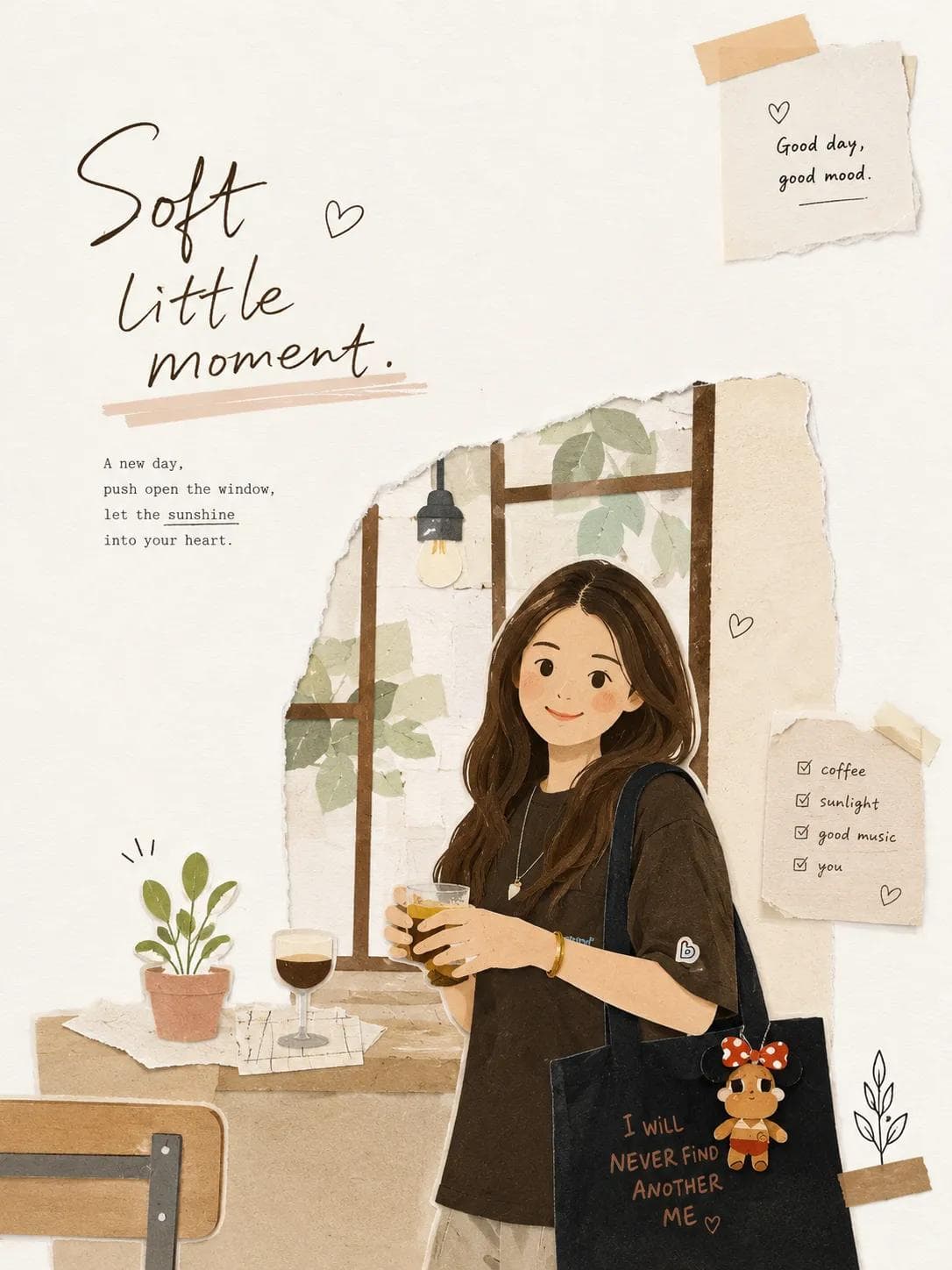
Transform the uploaded image into a minimalist illustration in a magazine collage style, using paper cutouts. Retain the main subject, pose, and overall concept of the original image, but reimagine it as a warm, hand-edited collage.
Style: Minimalist illustration in a magazine paper collage style, with flat, layered paper shapes, soft pastel paper textures, torn paper edges, paper shadow effects, neat black doodle accents, a handmade scrapbook atmosphere, modern Korean editorial design, a simple and cute composition, and large areas of clean white space.
Character: Cute, simplified Korean characters with minimalist facial features, a small, relaxed smile, soft and rounded proportions, simple and casual clothing, and silhouettes constructed from layered paper cutouts.
Composition: A 3:4 aspect ratio, with the main subject positioned slightly lower and off-center, leaving a large, open space on the opposite side for a breezy, minimalist composition that avoids clutter.
Objects: Add only a few suitable collage elements: paper sticky notes, small hearts, plants, a cup of coffee, a window, tape fragments, and simple doodle icons.
Typography: Add an elegant, handwritten English title that fits the scene's atmosphere. Use short phrases such as: ["May you be like the morning sunshine, full of vitality and hope, embracing the beauty of each day.", "Take a small break.", or "Good day, good mood."]
Atmosphere: Calm, comfortable, warm, sweet, and editorial style.
Negative prompt
photorealistic style, anime style, watercolor style, 3D clay style, overly detailed backgrounds, excessive collage elements, luxury poster atmosphere, dark tones, harsh shadows, sloppy text
How to adapt this prompt
Turn the example into your own brief.
Replace the subject, product, place, or audience.Keep the composition and camera language, then swap the object, brand, city, or customer.Preserve lighting and material constraints.Reuse the lighting, texture, and finish details that make the image feel specific.Match the aspect ratio to the channel.Move between square, vertical, and wide crops based on ads, posts, covers, or landing pages.Tighten the negative prompt after review.Add exclusions for text errors, distorted objects, clutter, or style drift after the first result. What this prompt is good for
Magazine Paper Collage Illustration is built for AI paper collage illustration prompt example for editorial visuals.
Use this AI image prompt when you need a focused Editorial Visuals result with a clear style direction, a defined format, and enough visual constraints to avoid generic output.
- Best search intent: AI paper collage illustration prompt, Magazine paper collage, and Editorial illustration
- Primary workflow: AI paper collage illustration prompt example for editorial visuals
- Recommended output format: 3:4
Prompt breakdown
Key controls inside this Magazine paper collage illustration prompt.
The prompt combines subject direction, lighting, composition, visual style, and output quality in one reusable brief. Keep those constraints together when you adapt it for your own image.
- Style anchor: Magazine paper collage illustration
- Category context: Editorial Visuals
- Includes a negative prompt to reduce style drift, distorted details, and unwanted artifacts.
Best variations to try
Adapt this prompt without losing the original image logic.
Start by changing the subject, product, place, color palette, or audience. Keep the camera language and visual hierarchy stable until the result matches the page, ad, post, or campaign you are building.
- Swap the subject while keeping the 3:4 composition.
- Turn the style into a new campaign by changing colors, wardrobe, props, or location.
- Use the prefilled generator link to test the prompt, then refine one variable at a time.
Prompt FAQ
Common questions about this AI image prompt.
What can I create with the Magazine Paper Collage Illustration prompt?
You can use it to create AI paper collage illustration prompt example for editorial visuals in a Magazine paper collage illustration style, with a recommended 3:4 aspect ratio and search-friendly image direction.
Can I edit this AI image prompt for another subject?
Yes. Replace the subject, product, place, audience, or brand details while preserving the lighting, composition, aspect ratio, and quality constraints that give the prompt its structure.
Which aspect ratio works best for this prompt?
This example is designed around a 3:4 aspect ratio. You can change it for another channel, but keep the framing and hierarchy consistent when moving to square, vertical, or wide formats.
Should I use the negative prompt?
Yes. The negative prompt helps reduce issues such as photorealistic style, anime style, watercolor style, 3D clay style, overly detailed backgrounds, excessive collage elements, luxury poster atmosphere, dark tones, harsh shadows, sloppy text. Use it as a starting point and add exclusions after reviewing your first result.