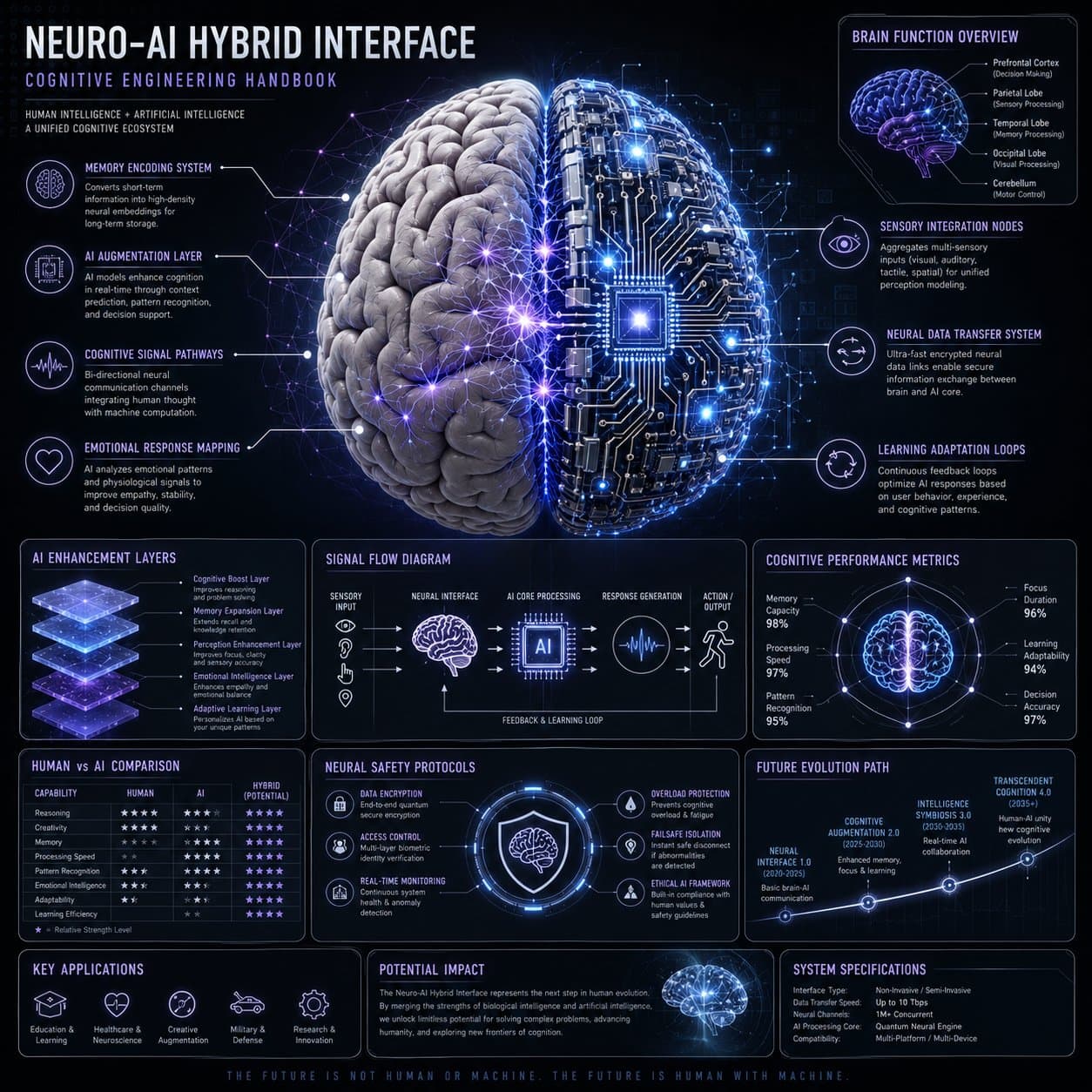
Create a premium square neuro-AI hybrid interface infographic designed as a scientific cognitive engineering handbook page. Use a dark neutral background with glowing neural network overlays, electric blue, violet, soft white, and silver accents. Place an ultra-detailed human brain merging with AI circuitry in the center. Build modular callout panels around it for memory encoding, AI augmentation, cognitive signal pathways, emotional response mapping, sensory integration nodes, neural data transfer, and learning adaptation loops. Include supporting modules for brain function overview, AI enhancement layers, signal flow diagram, cognitive performance metrics, human versus AI comparison, neural safety protocols, and future evolution path. Style: high-end neuroscience diagram, AI engineering manual, crisp scientific typography, readable labels, precise linework, premium technology poster.
Negative prompt
medical misinformation, fake diagnosis claims, unreadable tiny labels, chaotic wires, gore, horror brain, low-resolution UI, random logos, cluttered panels
How to adapt this prompt
Turn the example into your own brief.
Replace the subject, product, place, or audience.Keep the composition and camera language, then swap the object, brand, city, or customer.Preserve lighting and material constraints.Reuse the lighting, texture, and finish details that make the image feel specific.Match the aspect ratio to the channel.Move between square, vertical, and wide crops based on ads, posts, covers, or landing pages.Tighten the negative prompt after review.Add exclusions for text errors, distorted objects, clutter, or style drift after the first result. What this prompt is good for
Neuro-AI Hybrid Interface Infographic is built for AI neuro infographic prompt example for science and technology explainers.
Use this AI image prompt when you need a focused Editorial Visuals result with a clear style direction, a defined format, and enough visual constraints to avoid generic output.
- Best search intent: AI neuro infographic prompt example, Scientific infographic, and Technology explainer
- Primary workflow: AI neuro infographic prompt example for science and technology explainers
- Recommended output format: 1:1
Prompt breakdown
Key controls inside this Scientific AI infographic poster prompt.
The prompt combines subject direction, lighting, composition, visual style, and output quality in one reusable brief. Keep those constraints together when you adapt it for your own image.
- Style anchor: Scientific AI infographic poster
- Category context: Editorial Visuals
- Includes a negative prompt to reduce style drift, distorted details, and unwanted artifacts.
Best variations to try
Adapt this prompt without losing the original image logic.
Start by changing the subject, product, place, color palette, or audience. Keep the camera language and visual hierarchy stable until the result matches the page, ad, post, or campaign you are building.
- Swap the subject while keeping the 1:1 composition.
- Turn the style into a new campaign by changing colors, wardrobe, props, or location.
- Use the prefilled generator link to test the prompt, then refine one variable at a time.
Internal prompt paths
Explore more Editorial Visuals prompts.
Browse nearby workflows, compare prompt packs, or open the generator with this example already loaded.
Prompt FAQ
Common questions about this AI image prompt.
What can I create with the Neuro-AI Hybrid Interface Infographic prompt?
You can use it to create AI neuro infographic prompt example for science and technology explainers in a Scientific AI infographic poster style, with a recommended 1:1 aspect ratio and search-friendly image direction.
Can I edit this AI image prompt for another subject?
Yes. Replace the subject, product, place, audience, or brand details while preserving the lighting, composition, aspect ratio, and quality constraints that give the prompt its structure.
Which aspect ratio works best for this prompt?
This example is designed around a 1:1 aspect ratio. You can change it for another channel, but keep the framing and hierarchy consistent when moving to square, vertical, or wide formats.
Should I use the negative prompt?
Yes. The negative prompt helps reduce issues such as medical misinformation, fake diagnosis claims, unreadable tiny labels, chaotic wires, gore, horror brain, low-resolution UI, random logos, cluttered panels. Use it as a starting point and add exclusions after reviewing your first result.