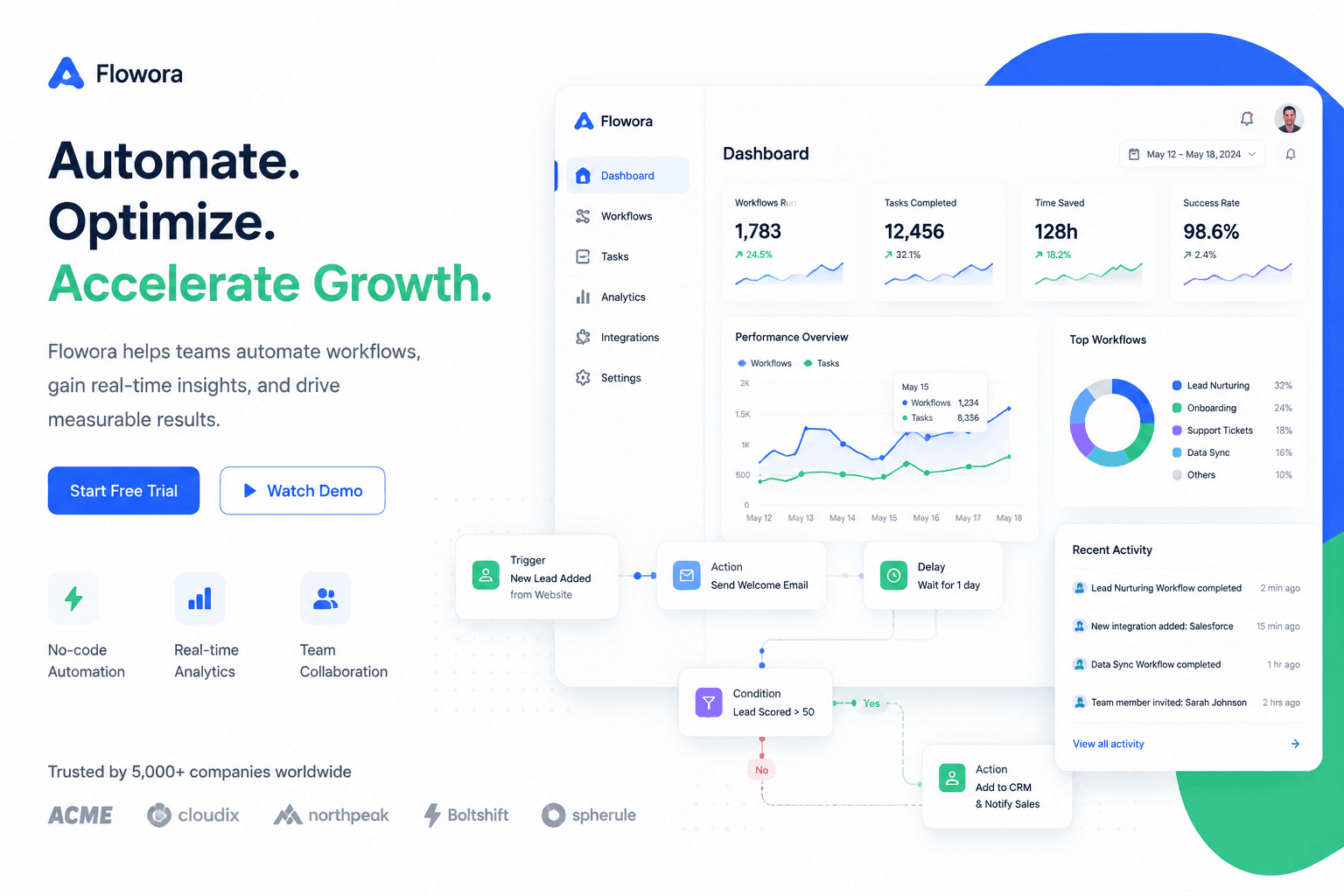
A polished SaaS feature hero graphic with abstract dashboard panels, automation lines, clear hierarchy, white background, blue and emerald accents, realistic interface depth, clean composition for a product landing page.
Negative prompt
tiny unreadable UI text, chaotic dashboard, dark background, fake logo

Prompt-specific breakdownWhat makes this prompt different.
Subject and sceneA polished SaaS feature hero graphic with abstract dashboard panels, automation lines, clear hierarchy, white background, blue and emerald accents, realistic interface depth, clean...
Keep this cue visible when adapting the prompt for another saas feature pages image.Composition and hierarchyCreate a product hero graphic for a SaaS feature release without using real screenshots.
Use this part to protect the 16:9 layout and avoid a generic composition.Lighting and material cuesSaaS product illustration style for SaaS feature pages
Treat this as the quality control layer for the saas product illustration look.Style and output constraintsoutput for Brand Design
Preserve this constraint when changing the subject, brand, product, or channel. Variation promptsRewrite this example for nearby use cases.
These variations keep the core image logic from this prompt while changing one variable at a time.
Change the subject
Create a 16:9 brand design image for [new subject]. Keep this prompt logic: A polished SaaS feature hero graphic with abstract dashboard panels, automation lines, clear hierarchy, white background, blue and emerald accents, realistic interface depth, clean.... Use SaaS product illustration styling for SaaS feature pages, but replace the product, character, place, or audience with [your brief].
Change the channel
Adapt this concept for [ad, product page, thumbnail, story, poster, or hero image]. Preserve the Create a product hero graphic for a SaaS feature release without using real screenshots. and keep the result focused on SaaS feature pages. Adjust crop, spacing, and visual hierarchy for the new channel.
Change the visual mood
Generate a new version with [brighter, darker, more premium, more playful, more editorial, or more minimal] mood. Keep SaaS product illustration style for SaaS feature pages as the style anchor and avoid changing the core subject unless the brief requires it.
Review checklistCheck the generated image before reusing it.
- Confirm the image clearly supports SaaS feature pages and does not drift into a generic brand design result.
- Check the main prompt cue: A polished SaaS feature hero graphic with abstract dashboard panels, automation lines, clear hierarchy, white background, blue and emerald accents, realistic interface depth, clean...
- Review the 16:9 crop for subject placement, negative space, and channel fit.
- Compare the output against the intended saas product illustration style before publishing or reusing it.
- Use the negative prompt to reduce these known issues: tiny unreadable UI text, chaotic dashboard, dark background, fake logo
Internal prompt paths
Explore more prompts.
Browse nearby workflows, compare prompt packs, or open the generator with this example already loaded.
Prompt FAQCommon questions about this AI image prompt.
What can I create with the SaaS Feature Hero Graphic prompt?
You can use it to create SaaS feature pages in a SaaS product illustration style, with a recommended 16:9 aspect ratio and search-friendly image direction.
Can I edit this AI image prompt for another subject?
Yes. Replace the subject, product, place, audience, or brand details while preserving the lighting, composition, aspect ratio, and quality constraints that give the prompt its structure.
Which aspect ratio works best for this prompt?
This example is designed around a 16:9 aspect ratio. You can change it for another channel, but keep the framing and hierarchy consistent when moving to square, vertical, or wide formats.
Should I use the negative prompt?
Yes. The negative prompt helps reduce issues such as tiny unreadable UI text, chaotic dashboard, dark background, fake logo. Use it as a starting point and add exclusions after reviewing your first result.